How to Light a Windowless Home Office: A Complete Checklist

A windowless home office is not a lost cause. It is simply a room that needs a plan, because there is no daylight doing half the work for you. The usual mistake is to compensate with one enormous ceiling light, which flattens everything, throws your own shadow across the keyboard and makes the space feel like a stockroom. Lighting a room with no window is really about layering: several modest sources, each doing one job, arranged so the eye always has somewhere to rest.
Start with the three jobs light has to do
Every good lighting scheme covers the same three tasks, whatever the room. In a windowless office they matter more, because you cannot borrow from the sky.
- Ambient light fills the room so you can move around without squinting, and softens the shadows between the other layers.
- Task light puts useful brightness exactly where you read, write or type.
- Accent light washes a wall, lights a shelf or lifts a corner, giving the room depth and a sense of shape.
Get all three and the room stops feeling like a cupboard. Get only one and it never quite works, no matter how bright it is.
Choose ambient light you can dim
Keep the ceiling fitting, but make it the softest layer rather than the loudest. A flush fitting with a diffuser spreads light evenly; a bare bulb concentrates it and leaves the corners dark. If the room is long or awkwardly shaped, two smaller fittings often work better than one central light, because they cut the harsh shadows that make a small space feel cramped.
Dimmable is worth the small extra outlay. You will want full brightness at ten in the morning and something much lower at seven in the evening, and swapping bulbs to achieve that is nobody's idea of fun.
For colour temperature, a neutral white somewhere in the middle of the warm-to-cool range suits most work: warm enough not to feel clinical, cool enough to keep you alert. Very warm light all day can make you drowsy; very cool light after dark can leave you wired.
One rule to hold on to: you should never see the light source itself from your chair, and you should never see it reflected in your screen. Move the fitting or add a shade until both are true.
Put task light where your hands are
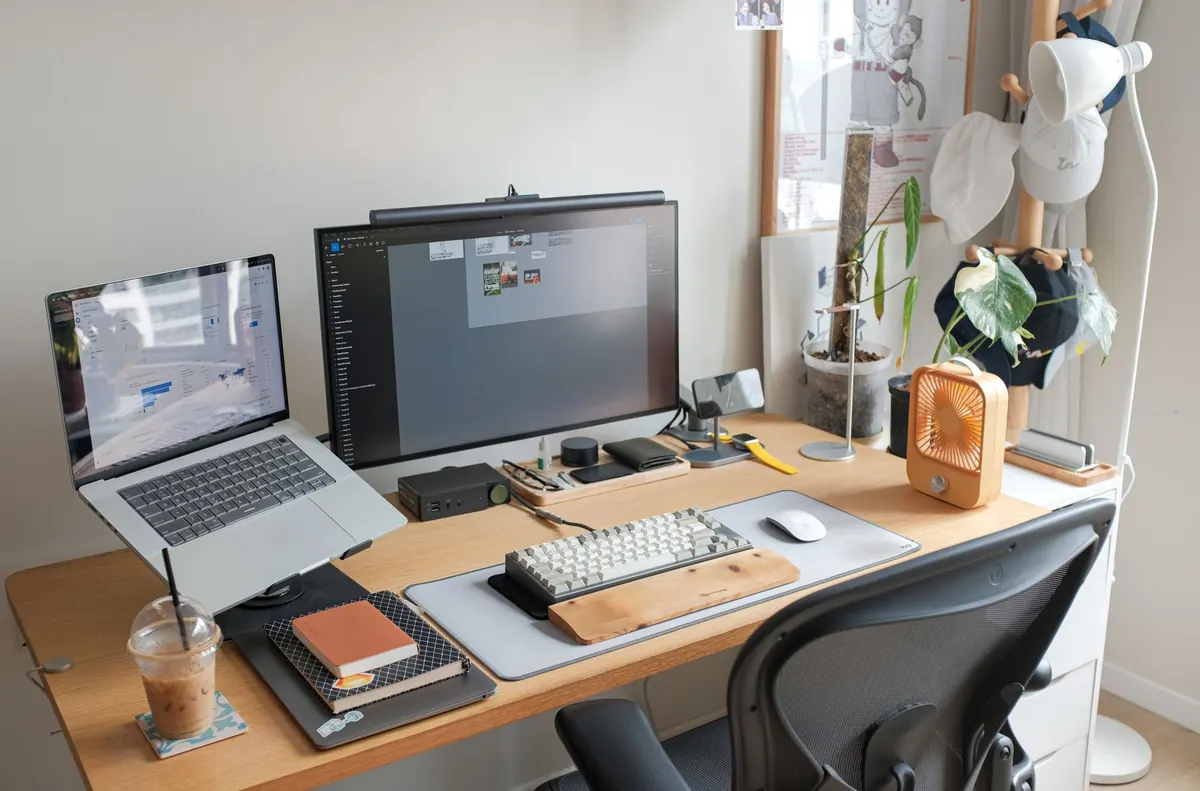
A desk lamp with an adjustable arm is the workhorse of a windowless office. Set it to the side of your writing hand, roughly level with your ear and angled down, so your hand does not cast a shadow over the page.
For screen work, side light beats overhead light. Bright light directly above you bounces off the monitor and forces your eyes to work harder; light from the side keeps the screen readable. If the wall behind your monitor is much darker than the screen, a small lamp aimed at that wall will even out the contrast and make long sessions easier on the eyes.
Two extras earn their place in a room with no window:
- A second, wider lamp for paperwork if you still work from printed pages, set slightly further back so it does not compete with the first.
- A small light at eye level behind your laptop for video calls. Anything from a compact LED panel to a basic ring light will stop you looking like a silhouette.
Use wall lights to build height and depth
Walls are the largest surface in the room, and in a windowless space they are also the thing that closes in on you. Washing them with light makes the room read as bigger and stops the ceiling pressing down.
Up-and-down wall lights either side of the desk are a neat solution: they throw a soft pool of light downwards for the desk and a wash upwards to lift the ceiling. Mount them roughly at shoulder height, and check the beam does not land in your eyeline when you are sitting down. Plug-in wall lights avoid the need for rewiring; if you do want new circuits, have that work done by a qualified electrician.
Cheaper options work just as well. An LED strip under a shelf, a picture light over a framed print, or a slim lamp on a tall bookcase all give the eye something to look at other than a blank wall. Light a favourite object rather than lighting the room harder.
Hang a mirror to borrow light
A mirror is the closest thing to a window you can hang on a wall. Put a decent-sized one opposite a wall light or a lamp and it will bounce that light back into the room, making the space feel twice as generous.
Two cautions. Do not position a mirror so it reflects a bright bulb straight into your field of view: you will swap a dark room for a distracting flare. And check what the mirror shows from your desk. If it puts a lamp, a doorway or a messy shelf in your video-call background, move it or angle it a few degrees.
The checklist
- Dimmable ceiling light with a diffuser, not a bare bulb.
- Adjustable desk lamp set to the side of your writing hand.
- Second lamp or a wider head if you work from paper.
- Wall light, strip or picture light washing at least one wall.
- Small light for video calls.
- Mirror opposite a light source, angled away from your eyeline.
- Matt, light-coloured paint on the walls where you can: it reflects more and glares less.
- Lamps grouped on one switch, smart plug or remote so you can light the room in a single movement.
If a full redecoration is out of reach, start with the desk lamp and the mirror. Those two changes alone will transform how the room feels.
Set it up in fifteen minutes
Once everything is in place, test it properly. Sit in your chair, switch every light off, then bring them on one at a time. Notice where shadows fall, whether any bulb glares off the screen, and how the room feels at each stage. Then set the scenes you will actually use: bright and even for the morning, softer with just the wall light and a lamp for late afternoon.
Finally, treat the room as a room, not just a workstation. A plant, a framed print and a rug give your eyes somewhere to travel when you look up from the screen, which matters more when there is no view to do it for you. And if your work involves long hours at a screen and you are getting headaches or eye strain, have that checked by a professional rather than assuming better lighting will fix it.
Photo: ideeart_ro / Pixabay