Home Office Accessories Worth Buying and What to Skip
A home office can swallow money faster than almost any other room in the house. There is always another stand, clamp, tray or softly glowing gadget promising to sort out your setup. A few of them genuinely do: they lift your screen, stop your feet dangling, or hide the tangle behind the desk. Most end up in a drawer by spring. Here is how to tell one from the other before you spend anything.
Laptop stands: usually the best money you will spend
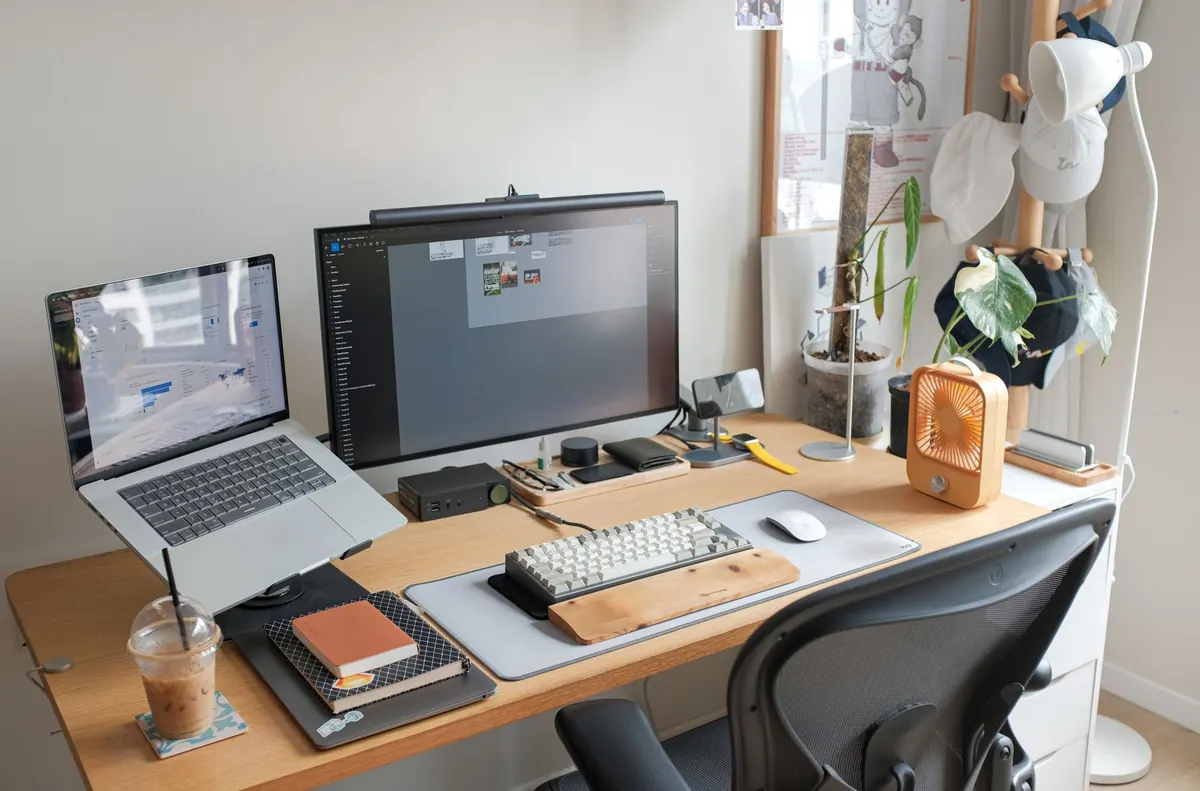
If you work on a laptop all day, the screen sits well below where your eyes want it. A stand raises it towards eye level, and that single change matters more than any other accessory in this category.
Fixed angled stands are light, inexpensive and easy to move between rooms. Adjustable risers and arms cost more but let you fine-tune height and distance as your chair or desk changes.
One catch: once the laptop is up, its keyboard is out of reach. If you raise the screen and keep typing on it, you have swapped a neck problem for a shoulder one. Budget for an external keyboard and mouse at the same time as the stand, or don't bother.
Check the depth, too. A stand that pushes the screen 20cm further away can leave you squinting on a shallow desk. Measure before ordering.
Skip: stands with built-in fans. They are noisy, they move very little air, and the fans clog with dust within months.
Footrests: the fix for a chair that is slightly wrong
Under-desk comfort gets ignored because you cannot see it. Sit with your forearms level with the desk and your feet may not touch the floor at all. That usually means the chair is too high for your proportions, and a footrest is a much cheaper correction than a new chair.
- Angled rocker: inexpensive, keeps your ankles moving, suits most people.
- Adjustable platform: better if you are shorter, or if you share the desk with someone taller. Look for a textured surface so your feet do not slide.
- Under-desk hammock: pleasant for an hour, then it sags and encourages slumping.
If your feet already rest flat with the chair set correctly, you do not need one. Adding a footrest to a badly adjusted chair just stacks one workaround on top of another.
If you have persistent back, neck or wrist pain, treat accessories as small adjustments rather than treatment, and speak to a GP, physiotherapist or occupational health adviser.
Cable trays and the mess you stop noticing
Behind every desk is a nest of power bricks, extension leads and cables you have trained yourself to ignore. A tray or basket fixed under the desk surface takes fifteen minutes to fit and removes a permanent low-level irritation.
- Photograph the back of the desk before you unplug anything. You will be glad of it later.
- Unplug everything, then mount the tray where it will not catch your knees.
- Keep power runs and data cables roughly separate, using clips or a spine to hold runs together.
- Label both ends of anything you cannot identify by feel, and use hook-and-loop ties rather than single-use zip ties.
- Check the load on any extension lead rather than assuming it will cope, and never chain one into another.
What you need is a tray, a pack of ties and a handful of adhesive clips. What you do not need is a colour-coded system you will abandon in a fortnight.
Small purchases that quietly earn their keep
- A monitor arm, if you use a separate screen — it frees desk space and lets you push the screen back.
- A large desk mat, which protects the surface and gives a mouse something to grip.
- A hook or clamp for headphones, so they stop living on the desk.
- A document holder or tablet stand, if you type from notes or read while working.
- An angled lamp with a warm setting for evenings.
- A powered USB hub within reach, so you stop crawling under the desk to plug things in.
What to skip
The useful test for any accessory: what changes on a Tuesday afternoon if you own it? If the answer is "not much", leave it on the shelf.
- Gadgets that need an app. A mug warmer or light strip with a login screen adds a password to your day, not a benefit.
- Mini desk vacuums and novelty keyboard cleaners. A microfibre cloth does the job better.
- Cheap plastic laptop stands that flex under the weight of the machine. Riser height is worthless if the thing wobbles.
- Wearable posture braces marketed as a fix for back pain. Anything strapped to your body and sold as a cure deserves a conversation with a professional, not a checkout page.
- Decorative lighting aimed at your screen. Strip lights behind a monitor usually just add glare.
- Walking pads under a normal desk. Many need more clearance and floor space than people expect; treat them as a furniture decision, not an accessory one.
None of this is about being frugal for its own sake. It is about keeping the desk legible — every extra object is another thing to move, charge, clean or trip over.
The test is not whether an accessory looks good in a photograph. It is whether you would notice if it disappeared.
How to decide before you buy
- Write the annoyance in one sentence. "My neck aches by 3pm" beats "I want a nicer desk".
- Measure the space: desk depth, chair height, the gap underneath.
- Check it works with what you already own, including keyboard, monitor and cable lengths.
- Buy one thing at a time and live with it for a fortnight before adding more.
- Prefer retailers with a genuine returns policy, and products that work without an app or a subscription.
Build it slowly, then stop
If you are starting from nothing, buy in this order: something under your feet, something under your laptop, something behind the desk. Those three cover comfort, screen height and tidiness, and they cost far less than the pile of gadgets most people accumulate first.
Then leave it alone for a few months. Notice what you reach for, what you keep moving out of the way, and what you have stopped seeing altogether. Spend on the things you touch every day — keyboard, mouse, chair, lamp — and ignore the rest until a real problem appears. A good home office is not the one with the most accessories. It is the one you stop thinking about.
Photo: Huy Phan / Pexels