Home Office Lighting Explained: Colour Temperature, Lux and Screen Glare
Most home offices are lit by accident. A ceiling fitting inherited from a previous occupant, a desk lamp bought in a hurry, a window that either dazzles or does nothing at all. It works, in the sense that you can see. Then the small problems appear: a headache by mid-afternoon, a screen that looks washed out, a hard shadow lying across everything you write.
Lighting a desk properly comes down to three things — colour temperature, brightness, and glare. None of them is difficult, and none requires expensive equipment. But they need thinking about together, because fixing one while ignoring the others rarely makes much difference.
Colour Temperature: What Kelvin Is Telling You
Colour temperature is measured in Kelvin, and the numbers run the opposite way to intuition: the lower the figure, the warmer and yellower the light. Anything sold as a "daylight" bulb will be up around 5000K or higher, which is bluer than most homes look comfortable with.
- 2700K — warm, yellow-white. Cosy and flattering, good for evenings, but it can feel dim for close work.
- 3000K — soft white. A reasonable daytime compromise for a room that doubles as a living space.
- 4000K — neutral to cool white. The classic office colour; crisp without feeling clinical.
- 5000–6500K — daylight. Alert and bright, but often harsh against warm walls and wooden floors.
For desk work, somewhere between 3000K and 4000K suits most people. Try to keep the whole room roughly consistent. A cool desk lamp fighting a warm ceiling bulb makes a space feel unsettled, and your eyes notice it even when you cannot name the cause.
One more figure worth checking is CRI, the colour rendering index. Anything at 80 or above is fine for general work. If you judge colour — designing, printing, painting, matching fabric — look for 90 or above, because cheap LEDs can make reds and blues drift noticeably.
Brightness: Think in Lux, Not Watts
Watts tell you how much electricity a bulb draws, not how much light reaches your desk. Lumens describe the output of the bulb. Lux is what actually lands on a surface once distance and direction have had their say, and it is the number that matters.
A 1500-lumen lamp sitting 40cm from your keyboard delivers far more useful light than the same lamp on a shelf two metres away. As a rough target, aim for around 300 to 500 lux on the work surface for reading, writing and screen work, and towards 500 to 750 lux if you are doing something fine: small print, drawing, sewing, model making.
You can check this approximately with a light meter app on your phone. The absolute readings will be rough, but comparisons are useful — measure your desk, then the wall behind you, then the corner of the room. If the desk is a bright island in a dark space, you will spend the day adapting between the two. Keep the surrounding area reasonably lit so the contrast is gentle rather than extreme.
Bulb Types and Fittings
LED has largely taken over, and rightly so for a desk: it runs cool, lasts well, and can be bought in whatever colour temperature you like. Two things to watch for. First, flicker — inexpensive LEDs and older fluorescent tubes can flicker in a way you notice in your peripheral vision rather than head-on, and it is tiring over a long day. If you catch a shimmer when you glance sideways, try a different lamp. Second, dimming: not every LED works with every dimmer, so check before you buy.
Halogen and traditional incandescent bulbs give a pleasant warm light but run hot and are being phased out. Compact fluorescents are cheap and efficient, though they often take a moment to reach full brightness and can hum. Smart bulbs with tuneable white are genuinely useful here — you can run 4000K at ten in the morning and drop to 2700K after dinner without changing any hardware.
The shade matters as much as the bulb. A wide, opal-diffused shade spreads light softly across the desk. A bare bulb or a narrow spotlight creates a bright hotspot, hard shadows and a reflection you will spend the afternoon avoiding.
Screen Glare: Three Fixes That Actually Work
Glare is not simply a bright reflection. It is any brightness much higher than whatever you are looking at, forcing your eyes to keep readjusting. A window behind your monitor, a lamp in your line of sight, or a glossy screen catching the ceiling light are all the same problem wearing different clothes.
Move the light, not your head
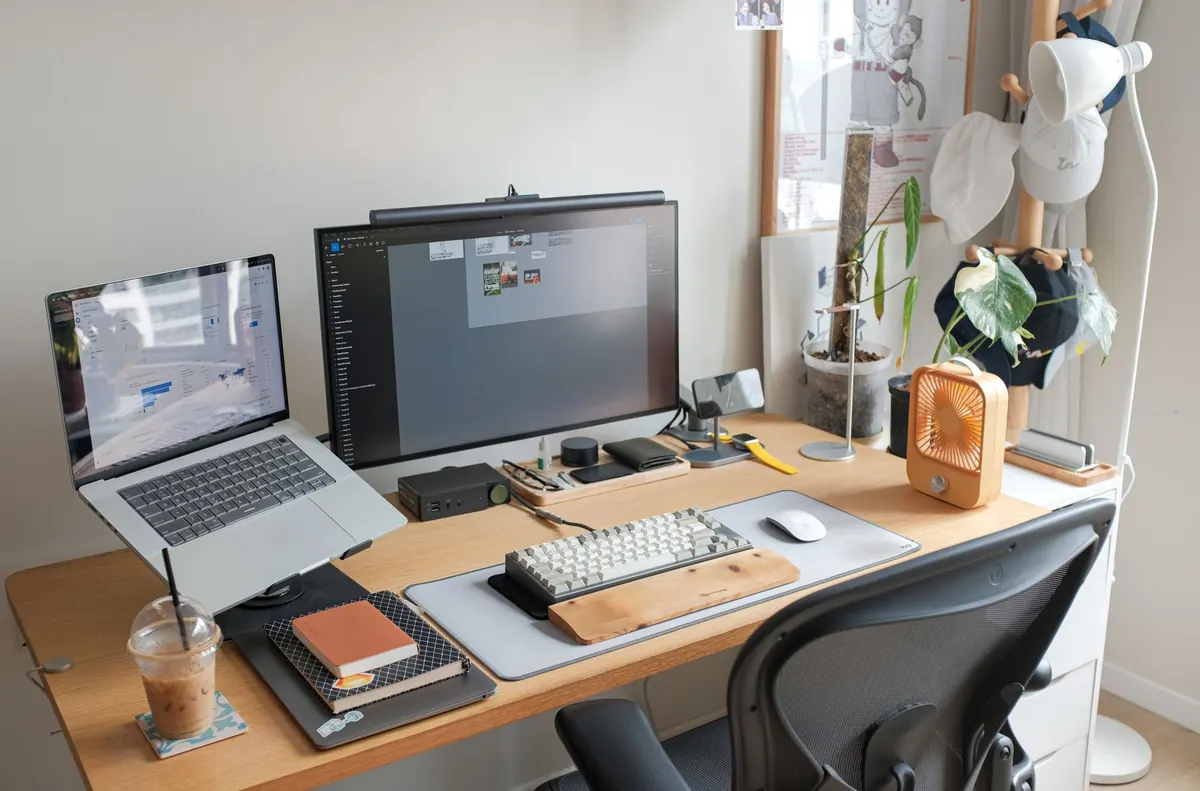
Angle the lamp head down and across the desk, with the edge of the shade sitting just below eye level. You should be able to see the pool of light on your work without seeing the bulb itself.
Reposition the desk against the window
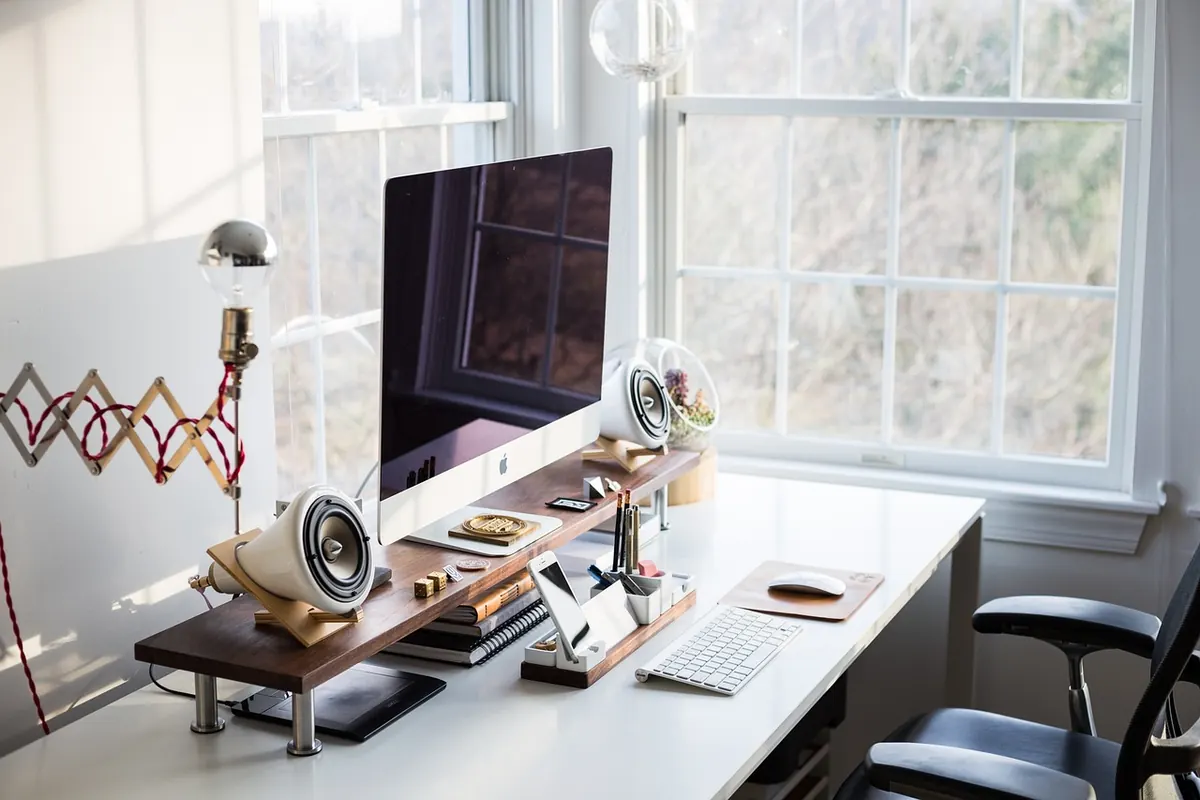
Side-on is usually best, with the window at your left or right shoulder. Facing the window leaves a bright rectangle in your field of view and makes the screen look dull by comparison. Sitting with your back to it puts reflections straight onto the glass. A blind or curtain helps with low winter sun, which arrives at exactly the wrong angle.
Match the screen to the room
Turn the monitor brightness down until it sits comfortably alongside the wall behind it. Tilt the screen slightly, use a matte finish if you have the choice, and consider a soft light behind the monitor so the wall is not a black void.
Layering Light Through the Day
Good home offices use more than one source: ambient light for the room, a task light for the desk, and something softer for the evening. Keep the brightest, coolest light for the morning and early afternoon, then shift to warmer, lower light as the day ends. Bright cool light late in the evening can make it harder to feel sleepy, so if you work into the night, dim things down rather than fighting the clock. If you have persistent headaches, eye strain or sleep problems, it is worth speaking to a GP or optometrist rather than assuming the lighting is the whole story.
A Setup You Can Copy Tonight
- Swap the ceiling bulb for a 3000–4000K LED, and stop relying on it alone.
- Put a task lamp on the opposite side to your writing hand, so your hand does not cast a shadow over the page.
- Angle the shade down and across the desk, with the bulb out of your eyeline.
- If you can, sit side-on to the window rather than facing it or turning your back on it.
- Lower the monitor brightness until it matches the wall behind it.
- Test the whole setup on a grey afternoon in November, not on a sunny morning in June.
None of this takes more than half an hour, and most of it costs nothing. Get the temperature roughly right, put enough light where your hands are working, and keep bright things out of your eyeline. Your desk will feel calmer, and the end of the day will feel less like a relief.
Photo: StockSnap / Pixabay